
For print shops and print studios
Print shop management software: from WhatsApp order to approved proof
A print shop system that Mslahtk builds around your own products and price list. An AI assistant takes orders on WhatsApp in Hebrew, Arabic and English, asks your questions and reads each order back for a yes. Website and chat orders land in one record. On numbered pads, the first number is the customer's last pad plus one, worked out by a separate check, not by the AI.
- Hebrew, Arabic and English in the chat
- First number: last pad plus one
- A proof on WhatsApp with Approve and Needs a change
The costly mistakes happen before the press starts
Marked up the way you mark up a proof: the error in the text, the fix in the margin.
A pad order is a long chain of messages
Business name, dealer number, dealer status, last pad number, address, phone and logo. Each detail is one more message, while someone should be at the press.
FixOn WhatsApp, the assistant asks the questions you set for each pad, then reads the whole order back for a yes.
A duplicate number on a pad means trouble with the tax authorities
So does a skipped number, an exempt dealer who leaves with a tax invoice pad, or the wrong dealer status in the header.
FixNumbering goes through a separate check, and a pad prints only on the plate for the customer's dealer status.
Orders are scattered, and the logo is buried somewhere in the chat
Some orders came on WhatsApp, some by phone, some from the website. The file a customer sent last month is deep in the scroll.
FixWhatsApp and website orders land in one record with their files, and a card goes up on your board.
Numbered pads for businesses, from the chat to a press-ready file
At the print studio where this system runs today, 7 of the 8 pads in the catalog become a press-ready PDF on their own: the designer's original artwork, the customer's header, the plate for their dealer status and the first number.
- חשבונית מסTax invoicePDF on its own
- חשבוניות מס קבלהTax invoice-receiptPDF on its own
- קבלות עוסק פטורExempt dealer receiptsPDF on its own
- חשבוניות עסקהTransaction invoicesPDF, not for ח.פ.
- הזמנות עבודהWork ordersNo artwork yet
- הדפסת קבלותReceiptsPDF on its own
- הצעות מחירPrice quotesPDF on its own
- תעודת משלוחDelivery notesPDF on its own
הזמנות עבודה (work orders) can be ordered, but there is no artwork for it yet, so no file is made automatically.
חשבוניות עסקה for a company (ח.פ.) has no plate yet, so the system refuses to produce the file instead of guessing.
How each customer's header is laid out
- The logo the customer sent in the chat
- Business name, sized to fit the line
- The trade line
- The plate for the dealer status, with the number
- "טל:" for a landline and "נייד:" for a mobile, read from the digits
- Last pad plus one
The designer's vector files are used as they are: copied, never redrawn and never turned into a picture.
Numbering you can trust, because the AI does not do the maths
A duplicate or a skipped number on a tax document is a mistake you cannot fix after the press run. So the number is checked at every step.
We ask for the last pad
The assistant asks for the number of the last pad printed. For a first pad, the answer is 0.
A separate check, not the AI
A separate check works out the number range, and the numbers the assistant tells the customer have to match it. Two lines of the same pad on one order share one continuous run.
Numbering confirmed on the website
Before downloading or ordering, the customer confirms where the new pad starts, next to a warning that a duplicate or skipped number can cause trouble with the tax authorities.
The number is on the proof
The proof that arrives on WhatsApp shows the business name, the number and the numbering, and the customer approves or asks for a change.
Dealer status is guarded
An exempt dealer is not offered tax invoice or tax invoice-receipt pads, and a pad prints only on the plate for the customer's status. No matching plate? The system refuses instead of guessing.
Repeat orders too
"The same again" never reuses last time's numbers. The customer card shows where the next pad starts, and you can change it.
Returning customers do not start from zero
Details the studio marked "Remember", like the business name and dealer number, are offered back for the customer to confirm, never assumed. "The same again" rebuilds the last order against today's catalog and prices, with a new run of numbers.
“Same as last time, please”
Every order on one board, from the website and from WhatsApp
Each order and inquiry lands in one record in Mslahtk: the items, the customer's answers, prices from your price list, what is still missing, and the files. A card also goes up on the studio's own Trello board, with a link that opens the order in the shop's system.
Items you do not list
50 printed mugs? The assistant takes the details and the quantity without giving a price, and a "Needs you" card asks you for one. Then it passes your price on to the customer.
Hand-offs arrive ready
When a customer needs a person, the assistant gathers the details first and files a summary in your language: an Arabic chat becomes a Hebrew card. The customer keeps getting answers meanwhile.
Alerts
A new order or a hand-off sends a push to your phone in the Mslahtk app, an email, and a bell in the dashboard.
An order desk for your staff
Preview, editable details, re-render, files, history and notes, with the customer's WhatsApp thread pinned beside the order and a reply box. Its screens are in English.
"How is my order?"
The assistant answers "in progress" in the customer's language and never guesses when it will be ready.
Files stay with the order
A logo, a photo, a PDF or a voice note sent in the chat is saved to the customer's profile and attached to the order.
Event posters your customers design on your website
On the site of the studio where this system runs today, a customer picks one of 14 event templates or describes the poster to an AI design chat. They see a watermarked preview, ask for up to 2 AI changes, confirm their phone with a code on WhatsApp and send the poster to the studio.
Print file: JPEG, about A1 at 300 DPI
The AI here designs event posters only. It does not design your customers' logos, business cards or clothing: for those, the customer sends their own file or asks for a custom design.
How an order moves through the shop
One order that came in at night, followed on its job ticket. The times are an example.
- 22:40
The customer orders on WhatsApp
The assistant quotes from your price list, asks your questions, reads the order back and logs it only after a yes. Items you do not list go to you for a price.
- 22:41
The order lands
One record in Mslahtk and a card on your board, with an alert to your phone. The pad also becomes a press-ready PDF, and a picture of the proof goes to the customer on WhatsApp.
- 22:44
The customer answers the proof
Approve or Needs a change, with one tap, recorded on the order. For a change, the assistant asks what exactly to fix.
- 08:15
Your team takes it from there
At the order desk they check the details, edit, re-render, attach files and reply as the shop. You print, and telling the customer the order is ready stays with you.
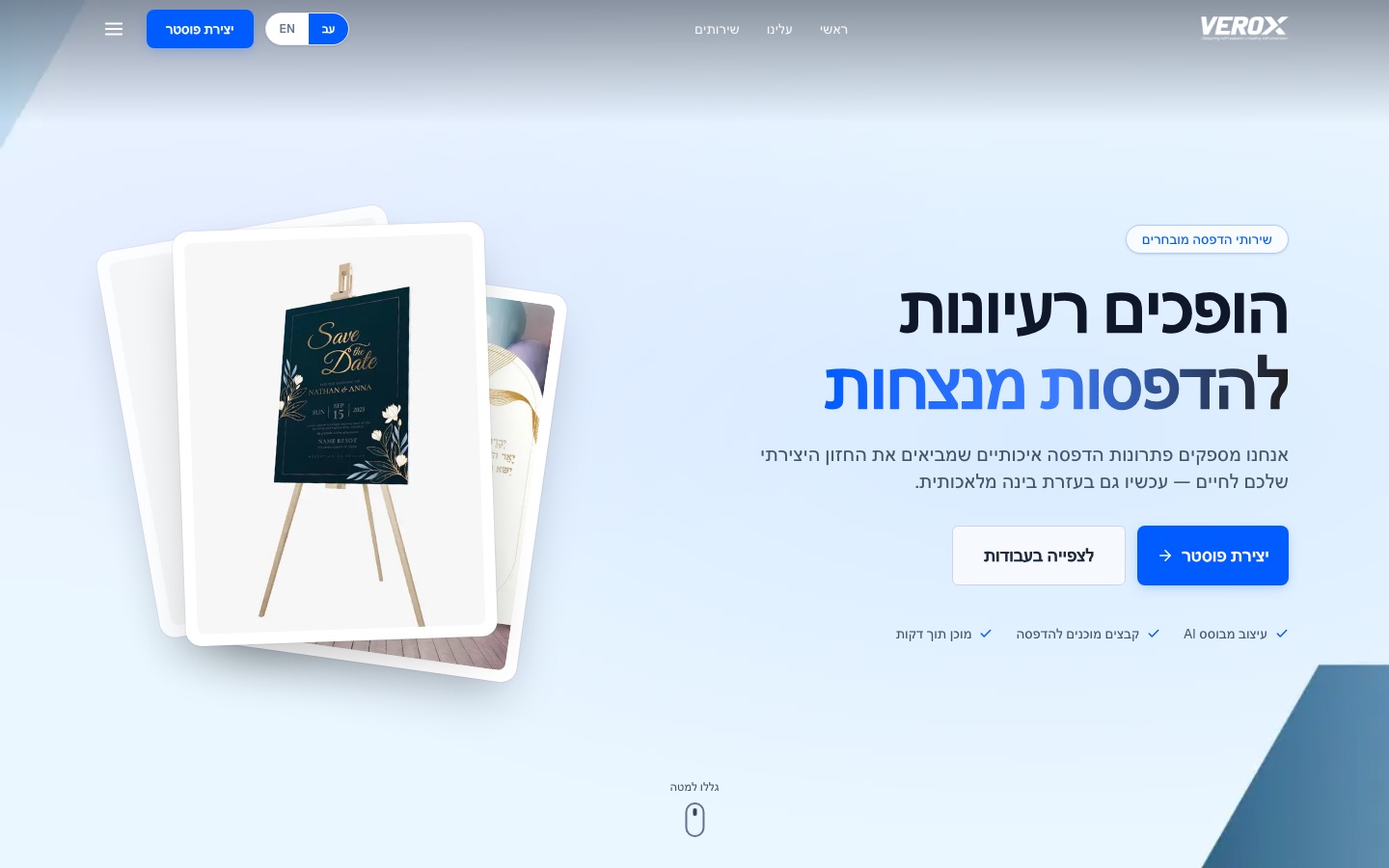
VEROX, a print studio in Kfar Yasif
VEROX is a print studio for events: posters, signs and large-format printing. Mslahtk built the studio a full site and a WhatsApp assistant, and the system on this page is the one running there.
What we built
- A full site in Hebrew and English with an AI poster generator and ready templates
- Poster orders, business form pads and custom design requests, all landing on one order board
- A WhatsApp assistant that takes orders and inquiries and adds them to the same board
- A staff entry for every order, including orders that have no design yet
What you get, including what happens behind the scenes
- Prices
- From your price list only. The order card uses catalog prices, never the AI's own arithmetic.
- Numbering
- Worked out by a separate check. Two lines of the same pad on one order share one continuous run.
- Dealer status
- A plate for each status. An exempt dealer is not offered tax invoices, and with no matching plate the system refuses.
- Artwork
- Your designer's vector files, used as they are: never redrawn and never turned into a picture.
- Small print
- "טל:" for a landline and "נייד:" for a mobile, read from the digits.
- Confirmations
- The assistant cannot say an order was placed unless it was really logged. An automatic check watches those sentences.
- One source of truth
- Mslahtk keeps the order, the files and the history. Your board is the shop floor's view of the same orders.
- Catalog desk
- Categories, items, sizes and quantities, the questions the assistant asks, instructions and photos, with warnings about gaps.
- Rehearsal
- Staff can practise an order conversation with the real quote, numbering and reorder tools before a customer does.
- Security
- Orders travel between Mslahtk and the shop's system as signed messages, and one changed on the way is refused.
- Languages
- Assistant: Hebrew, Arabic and English. Website: Hebrew and English. Staff desks: English. In Arabic chats, product names stay in Hebrew.
Questions print shop owners ask
Which software is right for a print shop?
The one that fits how your orders arrive and what you print most. If many orders come on WhatsApp and numbered pads are a big part of the work, look for a system that asks your questions in the chat, checks the numbering and prepares the pad file. That is what this system does, built around your catalog and price list.
Is there free print shop software?
This one is not free. It is built around your shop's products, questions and price list on the Custom plan, so the price depends on what you need. We give it after a short conversation on WhatsApp.
How do WhatsApp orders get onto the job board?
The assistant takes the order in the chat, asks the questions you set for each product and reads the order back. Only after the customer says yes is it logged: one record in Mslahtk and a card on your board, with the items, answers, prices and files.
How do customers order numbered receipt pads online?
In two ways. On your website they pick the size, the document and the details, see a live preview of the real pad, confirm where the numbering starts next to a tax warning, and then download the PDF or order. On WhatsApp the assistant asks the same questions and sends a proof to approve.
What is web to print?
Web to print means customers order, and sometimes design, print jobs online, and the shop receives files ready for the press. Here it covers numbered pads, which customers build and preview on your site, and event posters they design with AI. Everything else is ordered from your catalog with options, quantity, notes and photos.
Does it work in Arabic?
Yes, on WhatsApp. The assistant answers in Hebrew, Arabic and English, in the customer's language, and in Arabic chats the product names stay in Hebrew. The website itself is in Hebrew and English.
Want this at your print shop?
Tell us what you print and how orders reach you today. We set up your catalog and the questions the assistant asks around the way you work, and connect your designer's pad files.
More systems
- Insurance agency system Declarations customers fill in and sign on their phone, claim reports with photos, a home insurance case from estimate to signed answer, and a staff back office. Learn more
- Clinic system Patients book, move and cancel on WhatsApp against your real diary, with reminders at the times you set and standing weekly slots. Learn more
- WhatsApp AI secretary Answers customers on WhatsApp 24/7 in Hebrew, Arabic and English, books appointments, takes orders and hands you what needs you. Learn more
More from usAll systemsOur workAll plans